This section identifies the domain names or numeric IP addresses with links to the site. This information will only be displayed if your server is logging this information.
This section identifies the domain names or numeric IP addresses with links to the site. The table shows the Domain names if reverse DNS lookups have been performed. This information will only be displayed if your server is logging this information. Tip: You can exclude referrals from your own site by specifying your URL in the profile filters. Tip: To focus your report, consider using the Referrer Filter to include or exclude activity from a referring site.
You can determine those sites that are providing the most referrals to your site. This can help when considering the most effective ways to attract visitors.
This section provides the full URLs of the sites with links to the site. This information will only be displayed if your server is logging the referrer information.
This section provides the full URLs of the sites with links to the site. The table shows the Domain names if reverse DNS lookups have been performed, and IP addresses if not. This information will only be displayed if your server is logging the referrer information, and doesn't include visitors who typed in your URL. Tip: You can exclude referrals from your own site by specifying your URL in the profile filters. Tip: To focus your report, consider using the Referrer Filter to include or exclude activity from a referring site.
You can determine those sites that are providing the most referrals to your site. This can help when considering the most effective ways to attract visitors.
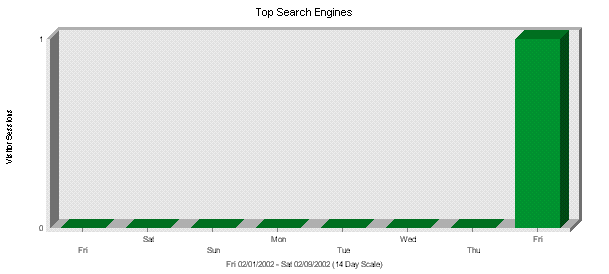
The graphic illustrates the first-time visitor sessions initiated by searches from each search engine. The first table identifies which search engines referred visitors to the site the most often. Note that each search may contain several keywords. The second table identifies the main keywords for each search engine.
Top Search Engines
Engines
Searches
% of Total
1
Google
36
100%
Total of Searches for the Engines Above
36
100%
Total of Searches for the Log File
36
100%
Top Search Engines with Search Phrases Detail
Engines
Phrases
Phrases Found
% of Total
Google
cache:hxtf7207kisc:www.okexecprinting.com/html/about_us.html boy scouts oklahoma
The first table identifies which search engines referred visitors to the site the most often. The second table breaks down the keywords used with each search engine referring your site. Note that each search may contain several keywords. Totals in this table represent the number of searches, whether they contain one or several keywords. The third table identifies the main keywords for each search engine.
This can give you an idea of how your meta-tags are performing with each search engine.
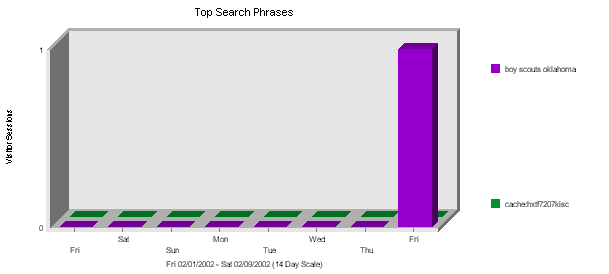
The first table identifies Phrases which led the most visitors to the site (regardless of the search engine). The second table identifies, for each phrase, which search engines led visitors to the site.
Top Search Phrases
Phrases
Phrases found
% of Total
1
cache:hxtf7207kisc:www.okexecprinting.com/html/about_us.html boy scouts oklahoma
35
97.22%
2
boy scouts oklahoma
1
2.77%
Total Found for the Phrases Above
36
100%
Total of Phrases Found in the Log File
36
100%
Top Search Phrases with Engines Detail
Phrases
Engines
Searches
% of Total
cache:hxtf7207kisc:www.okexecprinting.com/html/about_us.html boy scouts oklahoma
Many visitors to your site may be reaching it using search engines like Yahoo, Excite, etc. This section shows you the search phrases that visitors are using to reach your site.
How are people getting to your site? Are they using the search phrases you expect? Do you need to use different keywords in page titles to make it easier for people to find your site via search engines?
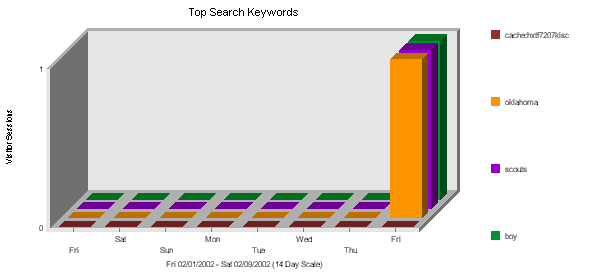
The first table identifies keywords which led the most visitors to the site (regardless of the search engine). The second table identifies, for each keyword, which search engines led visitors to the site.
This section tells you which search engines people are using to find your site, and the keywords used most frequently with each search engine.
At the most basic level, this section tells you which search engines are being used most frequently to find your site. You may find that some search engines are returning your site for the keywords you expect and that other search engines do not.


 This section identifies the domain names or numeric IP addresses with links to the site. The table shows the Domain names if reverse DNS lookups have been performed. This information will only be displayed if your server is logging this information.
 You can determine those sites that are providing the most referrals to your site. This can help when considering the most effective ways to attract visitors.

![[WebTrends Corporation]](./wtlogoss.gif)